How to Use AI Travel Chatbots for Stress‑Free Trip Planning
Planning a vacation shouldn’t feel like a second job. Let’s be real, juggling between flight apps, hotel sites, and review pages can drain the excitement right out of your trip before you’ve even left home. That’s where AI travel chatbots come in. They’re like having a helpful friend who loves planning trips and is always available to chat.
This guide will show you how to use these smart assistants to create a trip you’ll actually enjoy, without the usual stress.
What Exactly Is an AI Travel Chatbot?
Think of it as a super‑smart digital buddy that helps you plan, organize, and manage your trips just by having a conversation. Instead of digging through countless websites, you simply tell it what you're looking for, and it gives you clear, personalized suggestions all in one place.
What makes it different from a regular search engine? A chatbot interacts with you. It’ll ask about your destination, how many days you have, and what you love to do. Based on your answers, it crafts recommendations that feel tailored just for you. It’s like having a travel assistant in your pocket, ready whenever you are, turning your ideas into a step‑by‑step plan that matches your style.
Many of these chatbots use advanced language models, and some even connect to booking systems. This means you can go from dreaming to booking without jumping between different tools. It makes the whole process feel smooth and effortless.
Tools like the Travelfika AI Trip Planner take this experience further. They are designed specifically for travelers, which means they focus on real trip planning needs. From suggesting destinations and activities to organizing day-wise plans, everything is built to save time and reduce effort.
Why Are AI Travel Chatbots Becoming So Popular?

Remember the days of spending hours on travel sites, reading hundreds of reviews just to find one decent hotel? Those days are fading. AI travel tools have made planning dramatically simpler. Here’s why more and more people are making the switch
- Personalized Suggestions, Not Generic Lists – Traditional travel sites show you what everyone else sees. AI chatbots learn your style, whether you're a backpacker or a luxury seeker, and give you options that actually fit what you want.
- Everything in One Place – Instead of juggling five different apps, a good AI trip planner keeps your flights, hotels, activities, and dining ideas all in one conversation. Some platforms even let you book right through the chat, saving a ton of back‑and‑forth.
- Live Updates – AI assistants connected to live data can tell you about flight delays, local events happening during your trip, weather forecasts, and even safety alerts. That’s something a standard blog or booking site just can’t do.
- Budget‑Friendly – Many AI tools track price trends for flights and hotels. They can alert you when prices drop or suggest better‑value alternatives, so you can travel more for less.
- Always There for You – It doesn't matter if you're planning at midnight or on a Sunday morning. AI chatbots are always available, no hold music, no waiting.
Read More: How to Use AI in Tourism for Smarter Journeys
How to Use an AI Travel Chatbot – Step by Step
You don't need to be a tech wizard to use one of these. Here’s a simple process that works well for most trips:
Step 1: Get Specific About What You Want
The more details you share, the better the results. Instead of saying something broad like "plan a trip," try adding clear details. For example: "I want to plan a week‑long trip to Italy. I love history, local food experiences, and walking tours. I prefer small, boutique stays over big hotels."
This kind of detail helps the AI truly understand your preferences, so it can suggest places, activities, and stays that match your travel style.
Step 2: Look Over Your AI‑Generated Itinerary
After you share your preferences, the chatbot will create a day‑by‑day plan for you. Go through it carefully. You might love 80% of it and want to swap out a couple of things—that’s totally fine. Just tell the chatbot what you want to change, and it will adjust. The best part? You’re not stuck with a rigid package. The plan is flexible and yours to shape.
Step 3: Ask the Chatbot to Fill in the Details
Once you have an itinerary you’re happy with, it’s time to dive deeper. Ask the chatbot things like:
- "What are the best restaurants near my hotel for dinner on night two?"
- "Is there a faster way to get from the airport to the city center?"
- "What do I need to know about entry requirements or local customs?"
- "What should I pack for this destination in October?"
A good AI travel assistant can handle all of this without any trouble.
Step 4: Book Through the Platform or Use the Research to Book Yourself
Some AI travel chatbots are connected to booking engines, meaning you can book flights, hotels, and tours right inside the conversation. Others give you researched recommendations that you can then book on your favorite site. Either way, the AI has already done the heavy lifting for you.
Step 5: Keep the Chatbot Active During Your Trip
Don’t close the app once you leave. AI travel assistants are just as useful while you’re actually traveling. You can use them to find a last‑minute restaurant, check what time a museum opens, get help with translation, or figure out what to do if your flight gets canceled.
Best Ways to Use AI for Different Types of Trips
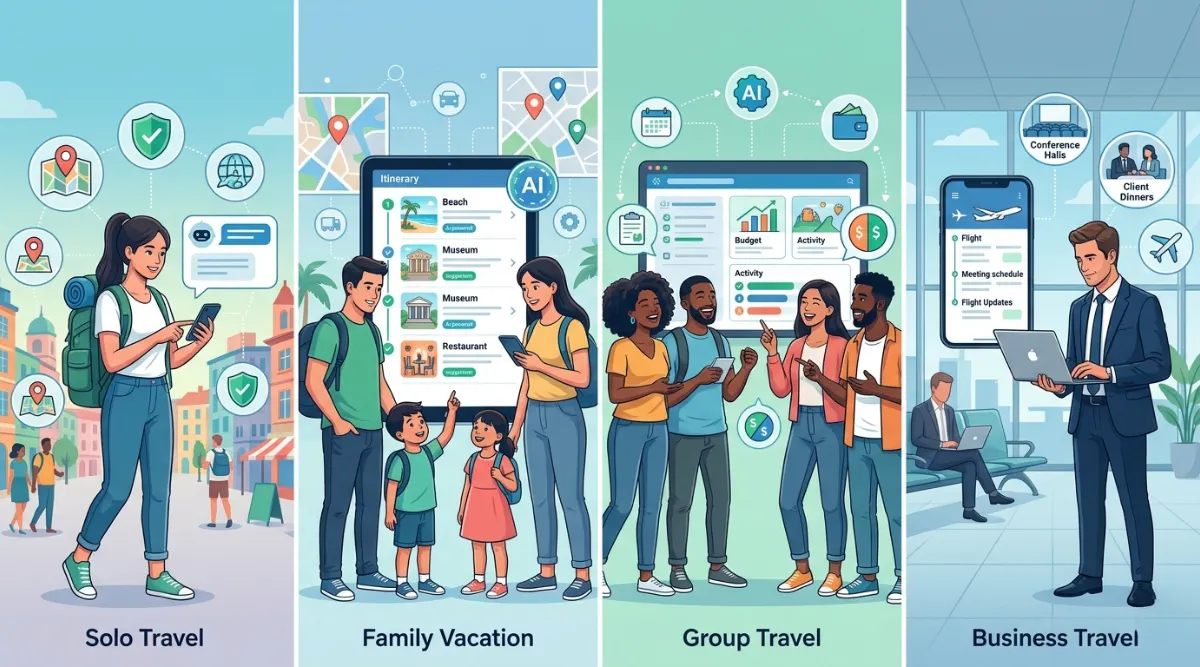
Solo Travel
If you're traveling alone, you’re making every decision yourself. Having a smart assistant to bounce ideas off and double‑check your plans is incredibly useful. AI chatbots are also great for safety research. They can tell you which neighborhoods are safest to stay in, what local scams to watch out for, and how to get emergency help if you need it.
Family Vacations
Planning a family trip means juggling different ages, interests, and energy levels. AI travel chatbots are surprisingly good at this. You can tell the chatbot that you're traveling with two young kids and two adults who like a mix of activity and relaxation. It will build an itinerary that actually works for everyone with age‑appropriate activities, manageable travel distances, and good meal options for picky eaters.
Group Travel
Group travel is famously hard to coordinate. Everyone has different budgets, interests, and schedules. AI tools can help you find accommodation that fits everyone, suggest activities that the majority will enjoy, and help you track group expenses. Some platforms even let multiple people collaborate on the same itinerary.
Business Travel
For business travelers, time is everything. AI travel chatbots can plan trips around your meeting schedule, find hotels close to your conference venue, suggest restaurants suitable for client dinners, and alert you to any travel disruptions before they become problems.
Explore More: AI for Multi-Destination Trip Planning
Quick Tips for Stress-Free AI Trip Planning
Planning with AI can save you time and make everything feel more organized. A few simple steps can help you get better results and avoid last‑minute stress:
- Plan Ahead – Start your planning at least four to six weeks in advance. This gives AI tools enough time to find better flight deals and hotel options before prices go up.
- Describe Your Travel Style – Let the AI know if you prefer adventure, relaxation, cultural experiences, or food‑focused trips. This helps it suggest places and activities that match your interests.
- Always ask for Backup Plans – Especially for outdoor or weather‑dependent activities. Having a second option keeps your trip smooth even if plans change.
- Go Beyond Flights and Hotels – Use AI to explore local transport like metro systems, taxis, or rental options. Getting around easily can make or break your travel experience.
- Save Your Itinerary – Download your itinerary or keep it in a document. This is a lifesaver when you don’t have internet access during your trip.
A few more quick wins:
- Set a clear budget so AI can suggest options within your range.
- Check reviews before confirming any bookings.
- Ask for local food recommendations and hidden spots.
- Keep copies of tickets and bookings all in one place.
- Use AI to plan day‑by‑day activities for better time management.
The Takeaway
Planning a trip no longer needs to eat up all your free time. AI travel tools have made it easy to turn a simple idea into a complete plan within minutes. You can go from thinking about a short holiday to having a clear itinerary without spending hours researching.
The key is to use these tools the right way. Share clear details, review the suggestions, and make small adjustments based on your needs. When used well, AI can give you the kind of planning support that once required a travel expert.
Travel should feel easy and enjoyable. Let AI handle the planning so you can focus on exploring new places and creating good memories.
FAQs on How to Use AI Travel Chatbots
What exactly is Travelfika's AI Trip Planner, and how does it work?
Travelfika is a smart travel planning platform that uses AI to create complete, personalized itineraries in one place. You start by answering a few quick questions about your destination, travel dates, interests (like adventure, food, or culture), and budget. The AI then builds a day‑by‑day plan with hotels, flights, and activities tailored to you. It feels like chatting with a travel‑savvy friend who already knows what you like
How accurate are Travelfika's AI itineraries?
In short: about 70‑80% accurate. That means you'll get a solid, practical framework especially for popular destinations and major cities. The AI is great for covering the basics, like top attractions and efficient daily routes. For best results, treat the first itinerary as a smart starting point, then tweak it to make it truly yours
Can I control my budget with Travelfika?
Yes, and it's one of the standout features. Travelfika is an AI trip planner with built‑in budget control. Once you set your spending limit, the AI adjusts hotel types, transport options, and activities to match. For example, if you're on a budget, it suggests hostels and free walking tours; for a luxury trip, it offers boutique hotels and private guides. You get value, not just cheap options
Is Travelfika really free to use?
Yes. Travelfika offers free planning features that let you build personalized itineraries without paying anything. There are also optional premium tools for advanced users who want more in‑depth travel support, but the core planning experience is completely free
How does Travelfika's AI chatbot help during a trip?
It works like a 24/7 travel buddy. Once you're on the road, you can ask it real‑time questions like "What time does this museum close on Mondays?" or "Find a pharmacy near my hotel." You don't have to switch between five different apps; just ask, and it answers instantly. It also remembers your preferences, so you don't have to start from scratch every time
Can I edit my itinerary after Travelfika creates it?
Absolutely. Travelfika gives you full control to edit, move, or remove any item in your plan. Don't like a suggested activity? Use the smart swap feature to replace it instantly, and the AI automatically rebalances your time and budget. The plan stays flexible and yours to shape
Does Travelfika work for international trips?
Yes. Travelfika supports both domestic and international destinations across the globe. For major cities like Paris, Tokyo, or New York, the AI does a very solid job. For smaller towns, you'll get a good starting point; just add your own local research to polish it
How long does it take to plan a trip with Travelfika?
Most users get a complete, solid itinerary in just a few minutes. No endless forms or fluff. The average traveler used to spend 10‑20 hours planning a week‑long trip; Travelfika cuts that down dramatically. Some users have reported planning a two‑week honeymoon in under 30 minutes
What types of travelers is Travelfika best for?
All kinds. It works for busy professionals, first‑time travelers, families, couples on honeymoon, and adventure seekers alike. The AI adapts to your travel style, whether you're a solo backpacker, a parent planning a kid‑friendly vacation, or someone who wants hidden local gems instead of tourist traps
Is Travelfika beginner‑friendly?
Yes. The interface is designed for normal users, not just tech people. One user review put it well: "The app feels made for normal users, not for tech people only." You don't need any special skills, just answer a few simple questions, and the AI does the heavy lifting